
Auto-detection of new sites
How Teleperson recognizes the company you're on, even on sites it has never seen before.
When you land on a website Teleperson hasn't seen before, the extension does a quick reconnaissance pass and offers to add the company to your Hub. The first user to visit a new site does the work; every Teleperson user after them gets the result for free.
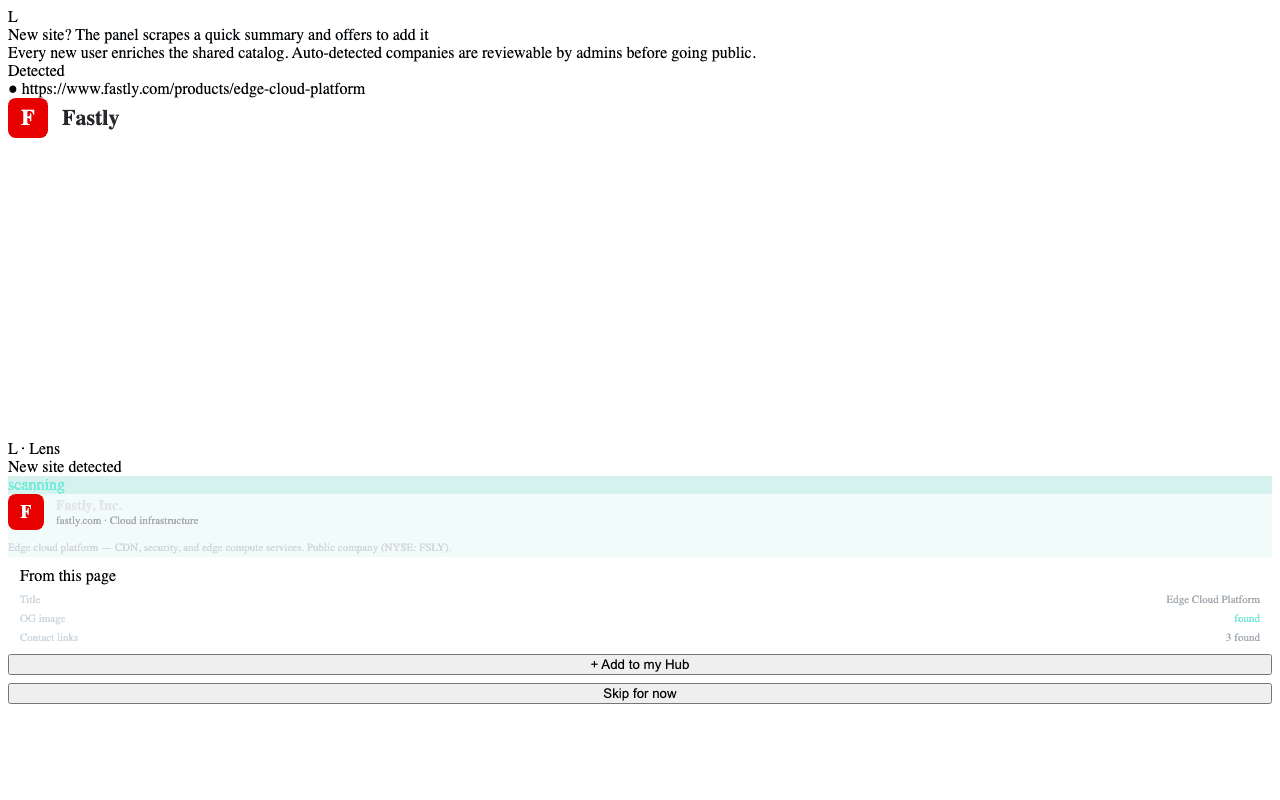
What happens behind the scenes
When the side panel opens on a site:
- Identify the vendor. The background service worker looks up the current tab's domain against the shared catalog in Supabase. Hits short-circuit; the panel renders the cached company instantly.
- Scrape a summary. On a miss, the content script collects the page title, meta description, OG tags, and any contact-page links. The background worker posts this digest to the backend.
- Persist the company. The backend creates a new
companiesrow, marks itauto_addedso admins can review, and queues an AI Company Overview generation job. - Surface to the user. The panel shows an Add to Hub prompt with the freshly-scraped name and logo. One click follows the company.
What gets sent
Only public page metadata: the URL, document title, meta description, Open Graph fields, and contact-page link hrefs. The extension does not send page body text, form data, cookies, or anything keyed by your account on the site.
What does not get sent
- Authenticated session cookies or tokens for the site.
- Form input, including search terms or login fields.
- DOM contents from pages behind a sign-in.
- Anything from the page when the side panel is closed.
Reviewing auto-added companies
Auto-added entries are tagged auto_added in the catalog. Admins can review,
edit, or merge duplicates from the Admin Dashboard
on the web. Until reviewed, auto-added companies are visible to the user who
discovered them but excluded from the public catalog browse list.
Privacy posture
The data flywheel is the point: every new user enriches the directory for everyone. But it works only because we keep the per-page footprint tiny. The security & privacy page covers what we collect and what we don't.
Related
- Company Hub → — where auto-detected companies show up.
- Security & privacy → — full data handling story.