
Company Hub
Your personal directory of every company you do business with.
The Company Hub is the heart of Teleperson. It's the personal index of every company you care about — searchable, sortable, and one click away from the context-aware side panel.
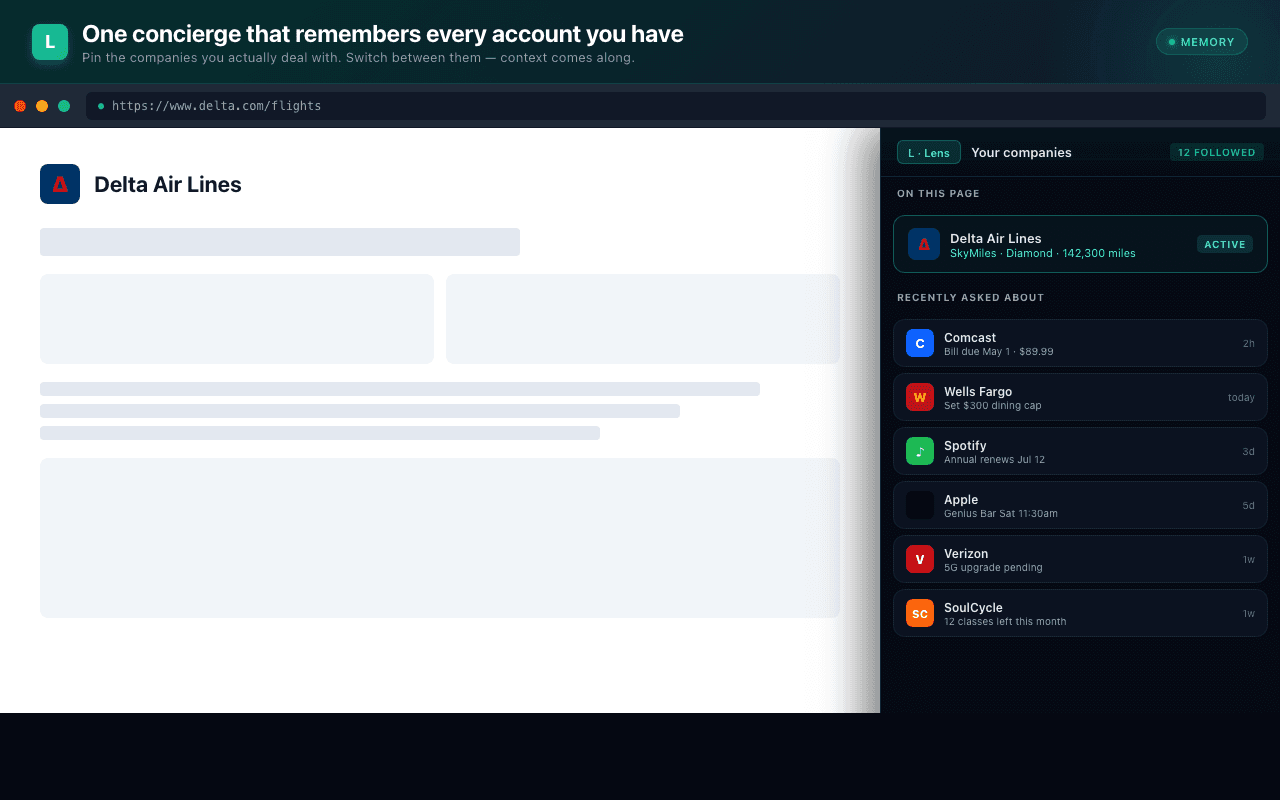
What you see
Each entry in the Hub shows:
- The company logo and name.
- A short tagline pulled from the AI Company Overview.
- Quick badges for what's available (Verified Call Tree, Voice Concierge, etc.).
- A click target that navigates the current tab to the company's website and surfaces the panel.
- For companies already in your Hub, a wallet icon on the right-hand side opens the Linked accounts popup. When you've added at least one account, a small green badge on the wallet icon shows how many.
The list is searchable from the top of the Hub — fuzzy match on name or domain. Filter the directory to companies you've transacted with via the Has purchases or linked accounts filter; the underlying transactions live on their own Purchases tab →.
Hub vs. Discover vs. All
Three pills at the top of the tab flip the list between three different slices:
- Hub — strictly the companies you've explicitly followed. Empty by default; populated by the + button on a Discover row, by Add to Hub on a site you visit, or by accepting an entry from the Discovered from your accounts card.
- Discover — the catalog the team has curated, minus what's already in your Hub. Discover is URL-aware: when the page you're currently on resolves to a company in a recognized industry (telecom, fintech, healthcare, …), Discover narrows to peers in that same industry, and the AI-driven similar-companies card is shown on top so you see real alternatives instead of a generic catalog dump. On a page with no resolved industry, Discover falls back to the full catalog.
- All — everything visible to you: followed + local + the rest of the catalog. Useful when searching across the directory.
Hovering an entry lifts the whole tile with a soft drop-shadow and a subtle 3D tilt that follows your cursor — making it easy to see which row will react to the next click. The effect respects your OS's "reduce motion" preference and falls back to a static shadow on touch devices.
Discovered from your accounts
After you link a bank through Generate Hub, the Hub shows a Discovered from your accounts card at the top with every business Plaid found in your transactions. Each row has a toggle on the right (default ON) and a stats line showing how many transactions you've made and the total amount.
Flip off the rows you don't want — for example, the gas station you used once on a road trip — then click Save. The selected companies are added to your Hub; the unselected ones are remembered as dismissed so they don't keep coming back on every sync.
The card disappears once you've handled every discovered row, and re-appears the next time a sync surfaces something new.
Adding a company
Five paths, all behind the + Add company button at the top of the Hub:
- From the catalog. The From catalog tab searches the curated public directory shared by all Teleperson users. One click follows the company.
- Manual entry. The Manual entry tab lets you type a name and domain to add a vendor that isn't in the catalog yet. When you're signed in, the entry is also registered with the backend so server-side features (Mail matching, alerts, transaction merchant linking) know about the domain.
- Generate Hub. The Generate Hub tab links a bank through Plaid and auto-fills your Hub with every company you actually transact with. See Generate Hub → for the full walkthrough.
- Mail Populate. When you've connected Gmail in the
Mail tab →, each sync surfaces vendors it found
in your inbox in the Mail Populate tab. Each row has + (add to
Hub) and × (ignore — never propose again) buttons. AI is used to
resolve the underlying brand even when the sender's domain is an
alternate (e.g.
mail.bolt.eu→ "Bolt"). See Mail → Mail Populate for the rules. - Auto-detected on a site. When you visit a company that's already in the catalog but not in your Hub, the panel header shows an Add to Hub chip.
Linked accounts
For each company in your Hub, you can store the account information you'd need when calling, chatting, or stepping through an IVR — loyalty numbers, the last few digits of a card, a login handle, a checking account identifier, and so on. Click the wallet icon on the right-hand side of the tile to open the Linked accounts popup.
Each account captures three things:
- Label — free text, e.g. "Joint checking" or "Costco Anywhere Visa".
- Type — one of Card, Loyalty, Checking, Login, or Other. The type drives the color of the badge that surfaces alongside the number, so several accounts on the same company are easy to tell apart.
- Number — entered in one of two modes (see below). The full value is never re-displayed once you save it; the popup and the read-only Overview card always show a masked version.
You can add as many accounts as you want and edit a label or type after the fact. To change a number, delete the account and re-add it — this keeps the extension from ever re-rendering a stored full card number in an editable input.
Last digits only vs. full card number
Two modes for the number field, picked per account:
- Last digits only (default). Up to 5 digits — what you'd write down to identify the card to a support agent. This is the safer choice and is on by default.
- Full card number. 12–19 digits, covering Amex through Discover. Selecting this mode shows an inline amber warning: the value is stored unencrypted in your browser's extension storage, and is removed when you remove the company. Reach for this only when you trust your local device.
Either way, the number is rendered masked everywhere it's shown. Last
digits only renders as •••• 4471. Full card number renders as
•••• •••• •••• 4242 — only the last four digits are ever displayed.
Where they show up
The popup lives in the Hub, but added accounts also appear read-only on the Overview tab in a Linked accounts card. The Overview card delegates all editing back to the Hub popup so there's exactly one write path. See the Overview tab → page for layout details.
Accounts are stored on the company entry in chrome.storage.local and are
device-local — they do not sync to your Teleperson account or across
browsers. Removing the company removes its accounts.
Mail search
Each row in Hub and Discover has a Mail icon next to the open-website button. Click it and Teleperson runs an on-demand search of your connected Gmail for the last 14 days of messages from that brand's domain(s) and shows the results in a popup — subject, sender, date, snippet, and a deep-link that opens the thread in Gmail.
The search uses the Gmail connection from the Mail tab →. If Gmail isn't connected, the popup links you to the Mail tab to set it up; if your token has expired, it prompts to reconnect. No mail content is cached — each click is a fresh fetch.
For Hub rows the search is scoped via the company's catalog domains (including any aliases an admin has added). For AI-suggested similar companies it falls back to the suggestion's primary domain. Senders on shared infrastructure (Mailgun, SendGrid, AmazonSES) and personal providers (Gmail, Yahoo, Outlook) are not searchable — those would match mail from any tenant.
Removing a company
Hover any entry and click the trash icon. Confirmation is required. Removing a company also removes any linked Plaid purchase data and any linked accounts scoped to that merchant.
For vendors that originally came from Mail, removal is remembered — subsequent Gmail syncs respect your decision and won't re-propose the company in the Mail Populate list. Vendors you added via the catalog or manual entry still hard-delete on remove (since those won't be auto-rediscovered anyway).
Sync across devices
Your followed-companies list is stored server-side in Supabase, scoped to your
user via row-level security. Sign in to Teleperson on a different browser and
your Hub appears identically. The extension caches the list in
chrome.storage.local for instant rendering when the panel opens.
Source code
Related
- Generate Hub → — auto-fill your Hub from your bank.
- Purchases → — your transactions and spend with each company, on its own tab.
- Auto-detection → — how new sites get added to the catalog.
- AI Company Overview → — what shows up in each entry.