
Features
Contact discovery
Phone numbers, emails, and chat widgets pulled from the page you're on, one click away.
When the side panel opens on a company's site, the content script extracts every contact-page link, phone number, and email address it can find from the current page (and the linked contact pages). They surface in the panel as a "How to contact" card with one-click actions.
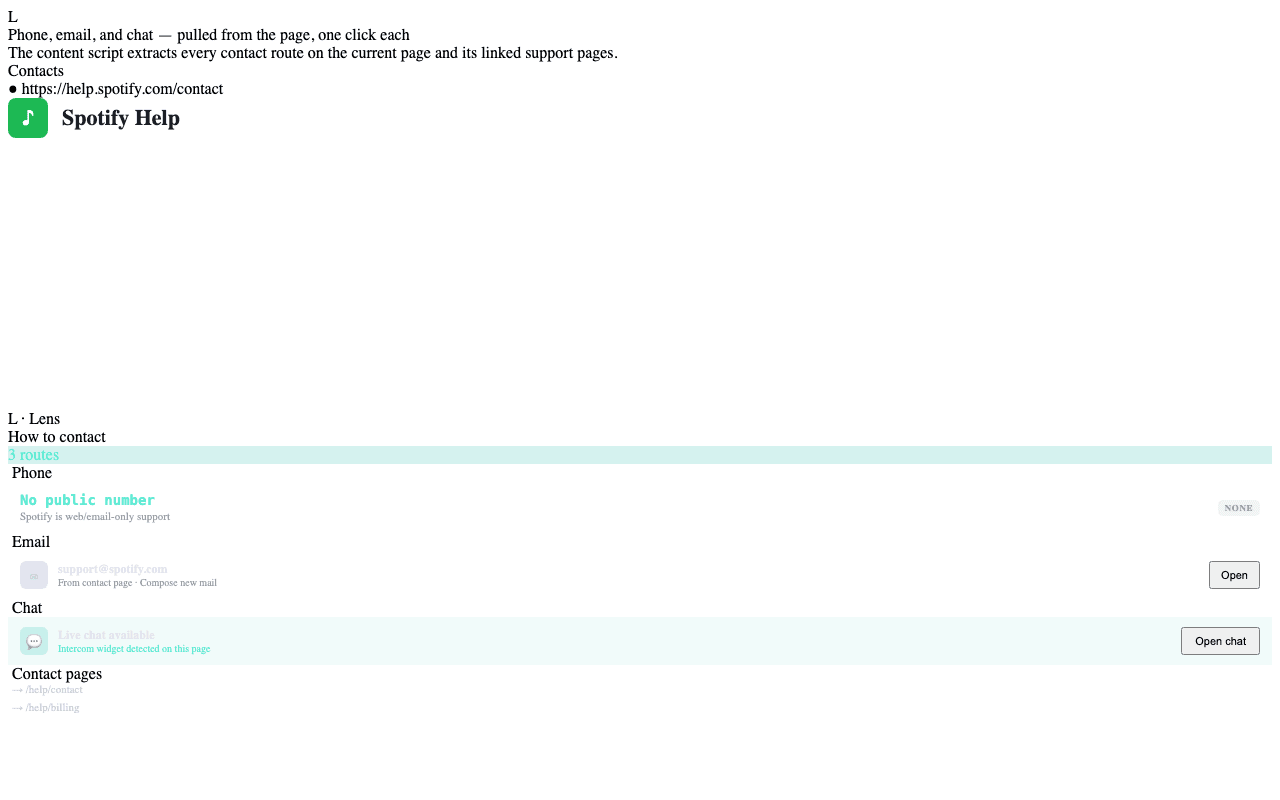
What gets extracted
- Phone numbers — recognized with a permissive regex that handles US,
international, and toll-free formats. Each phone number gets a
one-click
tel:action. - Email addresses — every
mailto:link plus heuristically-detected email patterns in plain text. One-clickmailto:action. - Chat widgets — if the page has an embedded chatbot (Intercom, Drift, etc.), a one-click Open chat button surfaces it without you having to hunt for the widget bubble.
- Contact-page links — anything the page advertises as a contact route
(
/contact,/support,/help, etc.) shows up as a clickable link.
Confidence and ranking
The extracted contacts are ranked by:
- Source proximity — numbers found on a
/contactpage outrank numbers in the page footer. - Format quality —
1-800-…formatted numbers outrank bare digit strings. - Verified Call Tree match — if a number matches a known node in the company's Verified Call Tree, it gets a green check and surfaces first with the department label.
What never shows up
- Numbers and emails inside form input fields (which would expose data the user is typing).
- Anything from pages behind a sign-in (the content script doesn't read authenticated pages unless the panel is open and you've explicitly followed the company).
- Anything from
<script>blocks or stringified JSON in the page source.
Related
- Verified Call Trees → — the trusted alternative to scraped numbers.
- Auto-detection → — what else the content script does on first visit.