
Features
Stripe Account tab
Your Teleperson invoices, subscription state, and billing controls — pulled live from Stripe.
The Stripe Account tab in the side panel shows the user's own Teleperson billing. It's not for any third-party company — it's the panel-native view of your relationship with Teleperson.
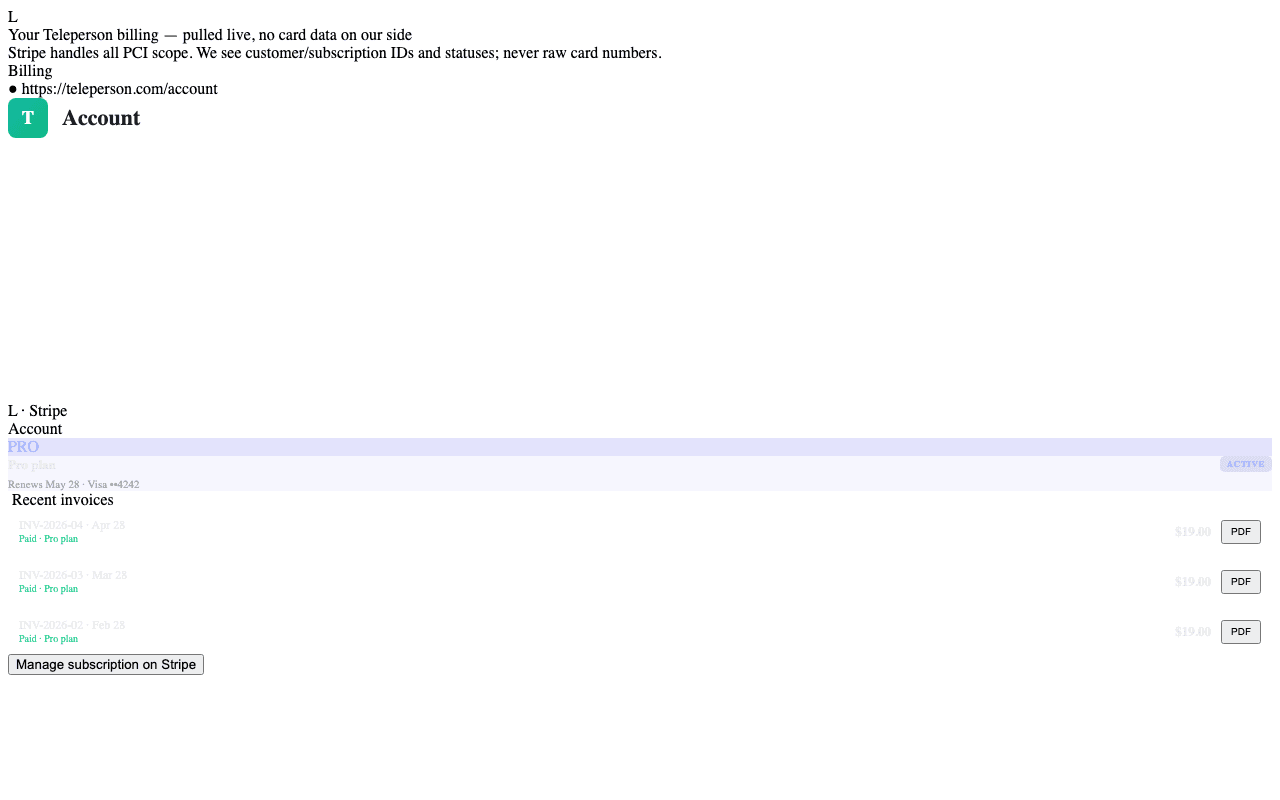
What you see
- Current plan — Free, Pro, or Enterprise. Plan badge, billing period, next renewal date.
- Invoices — a live list of every Stripe invoice on your customer record, with hosted invoice links and PDF download buttons.
- Payment method — last-4 of the card on file (PCI scope stays at Stripe).
- Upgrade / Downgrade — opens the appropriate Stripe Payment Link configured by the admin in Billing settings.
- Cancel subscription — links to Stripe's hosted Customer Portal where cancellation is governed by Stripe's flow.
How invoices are fetched
The panel calls a Teleperson Edge Function (user-list-stripe-invoices) that:
- Resolves the user's
stripe_customer_idfrom Postgres. - Calls Stripe's
/v1/invoicesAPI server-side with the platform's secret key. - Returns a projected list —
id,amount_due,currency,status,period_start,period_end,hosted_invoice_url,invoice_pdf— never raw card data, never the customer object.
The extension never holds a Stripe key.
What never shows up
- Card numbers or CVVs (PCI scope stays at Stripe).
- Other users' billing.
- Invoices from third-party companies you've followed — that data lives in the Plaid Purchases tab.
Disabling the tab
If you're on Free and have no billing history, the tab still shows but with empty-state messaging that explains how to upgrade.
Related
- Plaid Purchases → — third-party spend, distinct from Teleperson billing.
- Billing settings (admin) → — how the payment links and customer portal are configured.