
Plaid Purchases
Securely link a bank or card and see your spend with the current company.
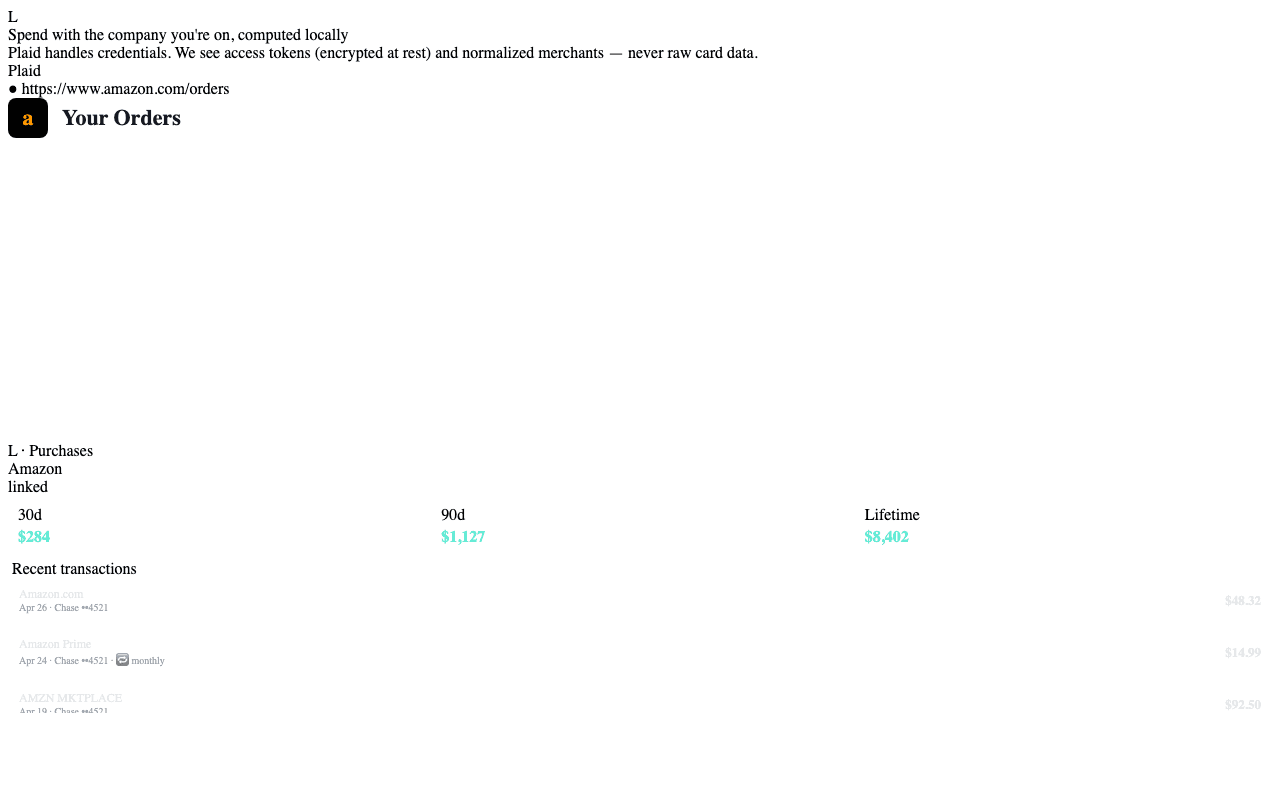
The Purchases tab in the side panel shows your spend with the company you're on right now: 30-day, 90-day, and lifetime totals plus a list of recent transactions. To enable it you connect a bank or card through Plaid once; from then on, every Teleperson session has the merchant context.
How linking works
Plaid runs the entire credential exchange. The flow:
- You click Connect a bank in the Purchases tab. The extension opens Plaid Link in a popup window.
- You pick your institution, sign in on Plaid's surface (not Teleperson's), and approve the data scopes.
- Plaid returns a public token to the extension. The extension forwards it to a Teleperson Edge Function, which exchanges it for an access token server-side.
- The access token is encrypted with AES-256-GCM before being written to Postgres. Plaintext access tokens exist only inside the Edge Function for the duration of one request.
Teleperson never sees your bank credentials. Plaid handles them entirely.
Merchant normalization
Bank transactions arrive with messy merchant strings — "AMZN MKTPLACE PMTS", "AMAZON.COM*MK1XJ4...", and so on. Teleperson resolves them to
companies in your Hub through a four-tier pipeline:
- Plaid entity ID — Plaid's own canonical merchant ID, when present.
- Normalized name — strip noise tokens, match against the catalog.
- Fuzzy match — Levenshtein-based fallback for common variants.
- Admin review queue — anything still unresolved goes to a human review queue. Once an admin maps it, every Teleperson user retroactively benefits from the resolution.
What you see
For the company on the current tab:
- Spend totals — 30-day, 90-day, and lifetime sums.
- Recent transactions — date, amount, normalized merchant string, raw Plaid description, account.
- Subscription detection — recurring charges flagged with a 🔁 chip and a "next charge" estimate.
Disconnecting
The Purchases tab has a Disconnect button next to each linked institution. Disconnecting:
- Calls Plaid's
/item/removeto invalidate the access token at Plaid. - Deletes every row scoped to that connection in Postgres — transactions, accounts, the encrypted access token itself.
- Appends an audit-log entry.
It is not a soft delete. The data is gone.
Multiple connections
You can link multiple institutions. Each one is its own
user_plaid_connection row, and the Purchases tab unions transactions across
them when computing totals.
Related
- Security & privacy → — full data-handling story.
- Stripe Account tab → — your Teleperson billing.