
Verified Call Trees
Structured, versioned IVR navigation with per-department phone numbers.
A Verified Call Tree is Teleperson's structured representation of a company's IVR (interactive voice response) phone system. Instead of guessing which key gets you to a human, you see a step-by-step path with confidence scores, last-verified timestamps, and — crucially — per-department phone numbers when known.
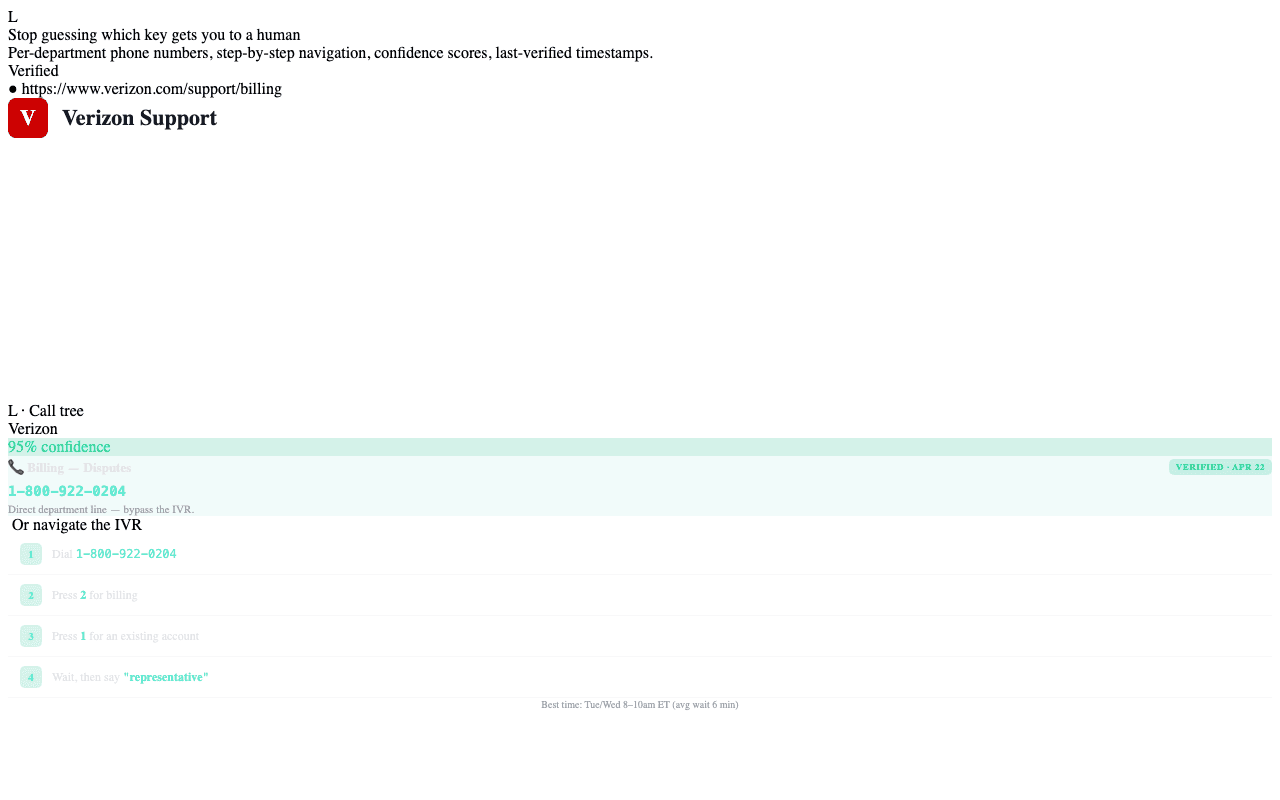
What's in a call tree
For each company in your Hub that has been mapped:
- Departments — Customer Service, Billing, Tech Support, Cancellations, etc.
- Per-department phone numbers — when known, you skip the main IVR
entirely. Click to dial directly via
tel:. - Step-by-step actions when you have to navigate the tree:
- Dial the main number.
- Press a digit (e.g.
Press 2 for Billing). - Say a phrase (modern IVRs that take voice input).
- Wait for a prompt to finish.
- Request representative when "operator" or "agent" is the magic word.
- Confidence score per step — how reliable Teleperson believes this navigation is.
- Last verified timestamp — when a Teleperson admin or user last confirmed the path works.
- Best time to call — when known, hint when hold queues are short.
- Risk level — flagged when the department deals with binding actions (cancellations, payments).
How call trees get built
Three sources, ranked by confidence:
- Admin-curated — Teleperson admins build call trees in the in-extension IVR builder. These start at 95%+ confidence.
- User-verified — when a user successfully reaches their target via a
tree, they can mark steps as confirmed. This bumps confidence and updates
the
last_verifiedtimestamp. - AI-suggested — for companies with no curated tree, Claude generates a best-guess tree from public sources. These start at 60% confidence and are labeled as such.
Versioning
Call trees are versioned. When a company changes its IVR (a frequent event), admins publish a new version and old steps surface a "may be out of date" chip. The current version is what users see by default.
How the Voice Concierge uses this
When you're on a call with the Voice Concierge, it can read the verified call tree aloud, step by step, in time with the IVR prompts you're hearing. "Press 2 for Billing... now press 1 for an existing account... now stay silent for the prompt and say 'representative'."
Related
- Voice Concierge → — the call companion.
- Company Hub → — where call trees attach to a company.